
For phase 1 of the ACD solution, a total of five application objects are required. The necessary URLs can be taken from the instance properties display in the AP MANAGER.
To do this, switch to the classic administration interface via the DEVICES app and navigate to the PBX Objects section.
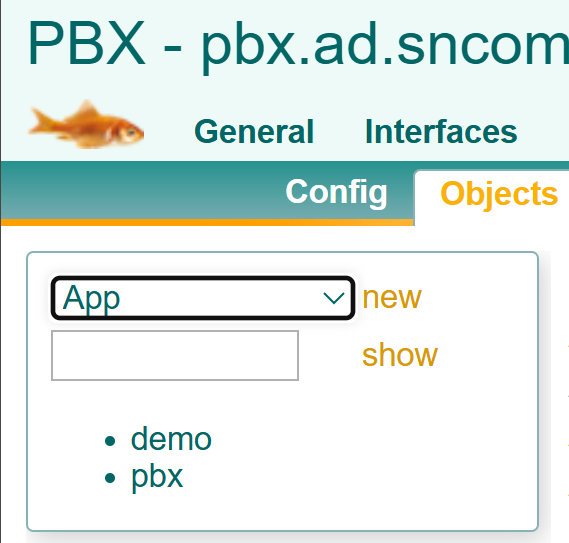
Add a new object of type App.
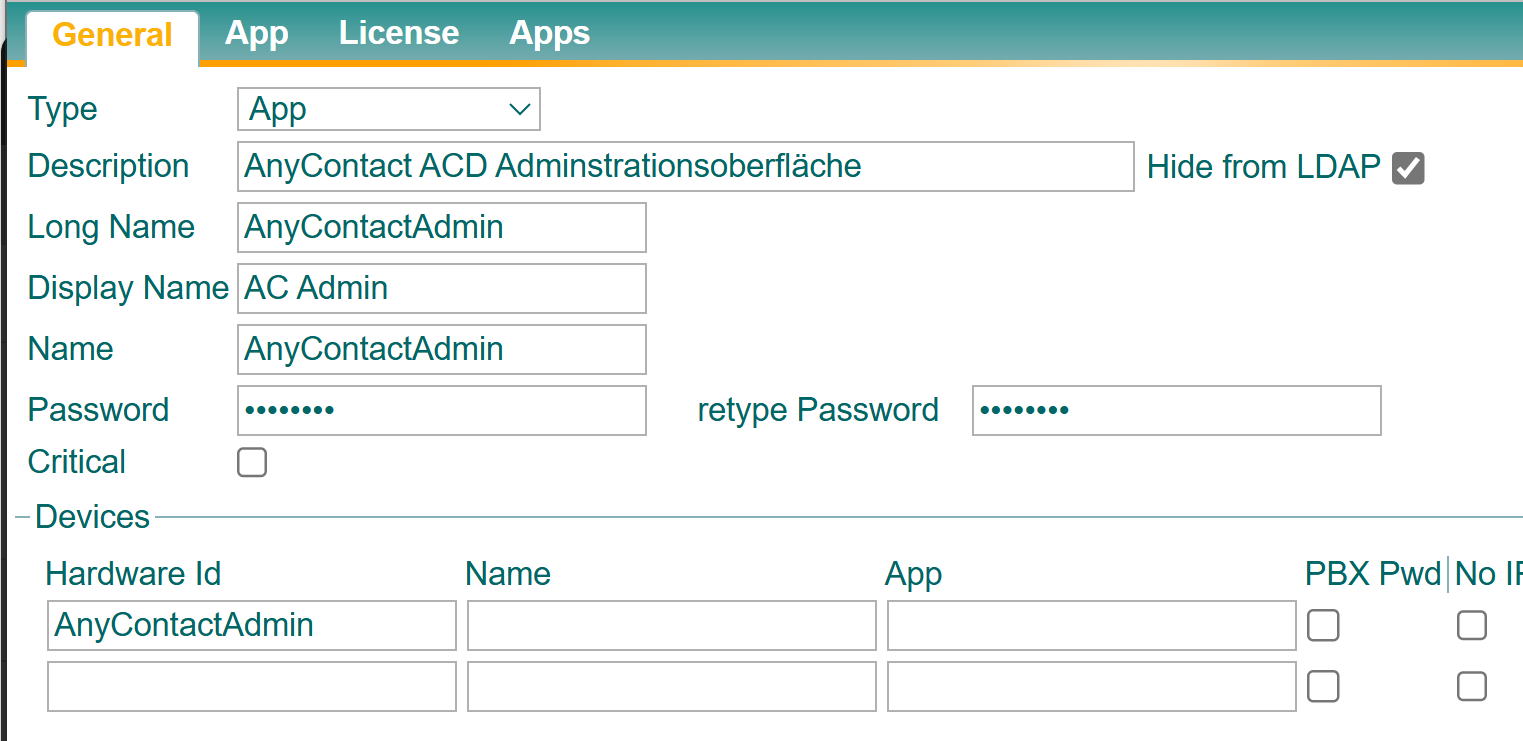
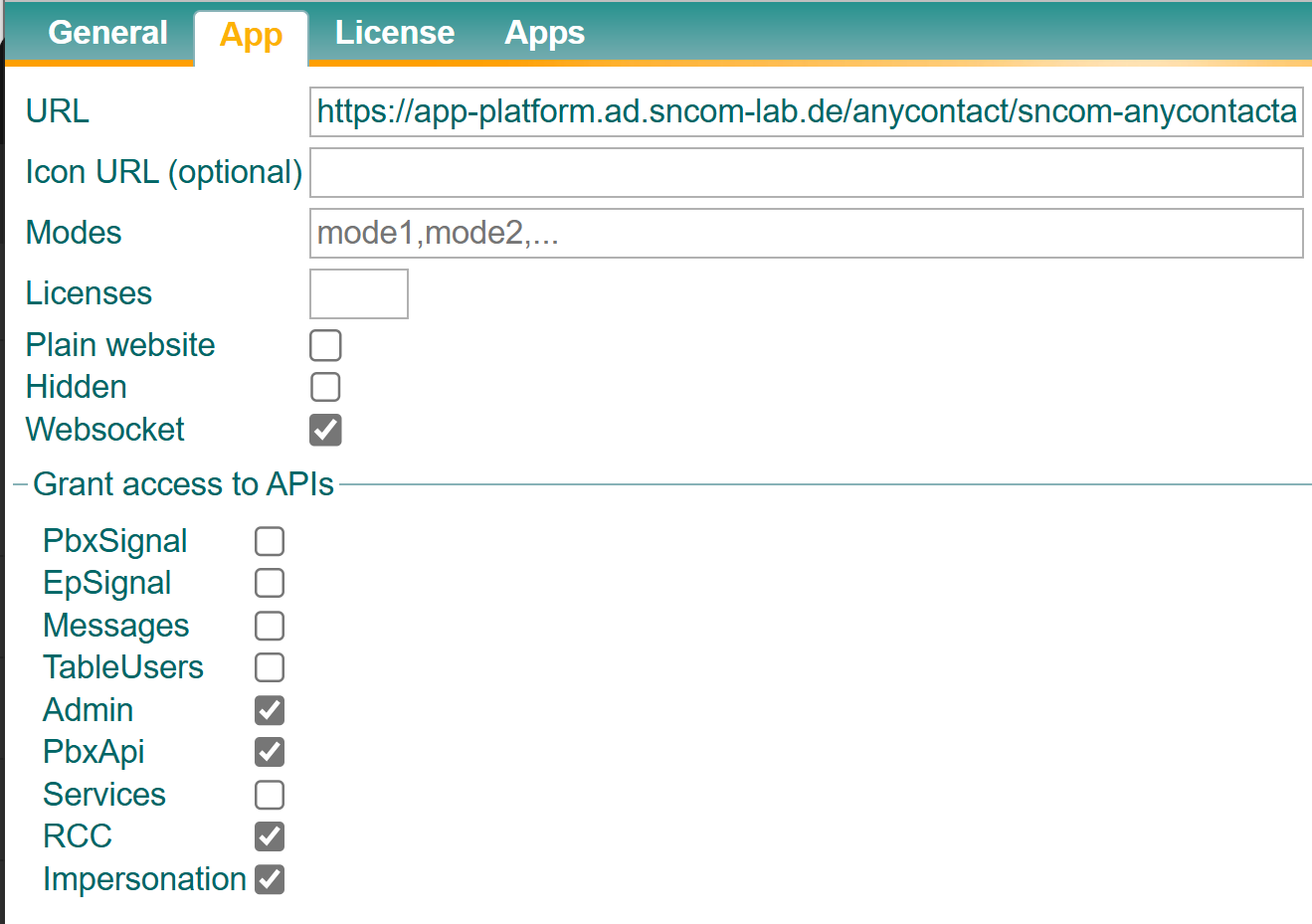
Please refer to the following tables for the identifiers to be entered. Then switch to the App tab and enter the previously mentioned URLs.
Only for the AnyContactAgent app should permissions for Websocket and API be enabled as shown in the screenshot. For all other apps, no checkboxes should be selected.
General configuration tool for anyContact ACD
This is the configuration interface for general or global settings for skill-based routing.
|
Field name |
Value |
|---|---|
|
Description |
AnyContact ACD Administrtionsoberfläche |
|
Hide from LDAP |
true |
|
Long Name |
AnyContactAdmin |
|
Display Name |
AC Admin |
|
Name |
AnyContactAdmin |
|
Password |
pwd |
Configuration tool for agents
This is the configuration interface where the skills of each individual agent are defined.
|
Feldname |
Wert |
|---|---|
|
Description |
AnyContact ACD Agent Administrtionsoberfläche |
|
Hide from LDAP |
true |
|
Long Name |
AnyContactAdminAgent |
|
Display Name |
AC Agent Admin |
|
Name |
AnyContactAdminAgent |
|
Password |
pwd |
Configuration tool for QueueDevices
This is the configuration interface where the skill requirements of QueueDevices and other SBR-specific parameters are set up.
|
Feldname |
Wert |
|---|---|
|
Description |
AnyContact ACD Queue Administrtionsoberfläche |
|
Hide from LDAP |
true |
|
Long Name |
AnyContactAdminQueue |
|
Display Name |
AC Queue Admin |
|
Name |
AnyContactAdminQueue |
|
Password |
pwd |
Agent workspace
This is the frontend through which an agent can manage their participation in the innoACD.
|
Feldname |
Wert |
|---|---|
|
Description |
AnyContact ACD Agentenoberfläche |
|
Hide from LDAP |
true |
|
Long Name |
AnyContactAgent |
|
Display Name |
AC Agent |
|
Name |
AnyContactAgent |
|
Password |
pwd |
Dashboard / Monitoring
|
Feldname |
Wert |
|---|---|
|
Description |
AnyContact ACD Dashboard |
|
Hide from LDAP |
true |
|
Long Name |
AnyContactDashboard |
|
Display Name |
AC Dashboard |
|
Name |
AnyContactDashboard |
|
Password |
pwd |