
Configuring the ACD Queue Device
The ACD Queue Device is based on the innovaphone WaitingQueue. Therefore, at least one innovaphone object of this type must first be created or selected.
Important:
To ensure that the WaitingQueue can be used exclusively by innoACD, its Long Name must begin with the prefix "AnyContact". Within the anyContact innoACD configuration apps the Display Name is been used.
There are two configuration options available on the innovaphone side for setting up the WaitingQueue:
-
Classic: via the Device view
-
Modern: via the PBX Manager on the innovaphone App Platform
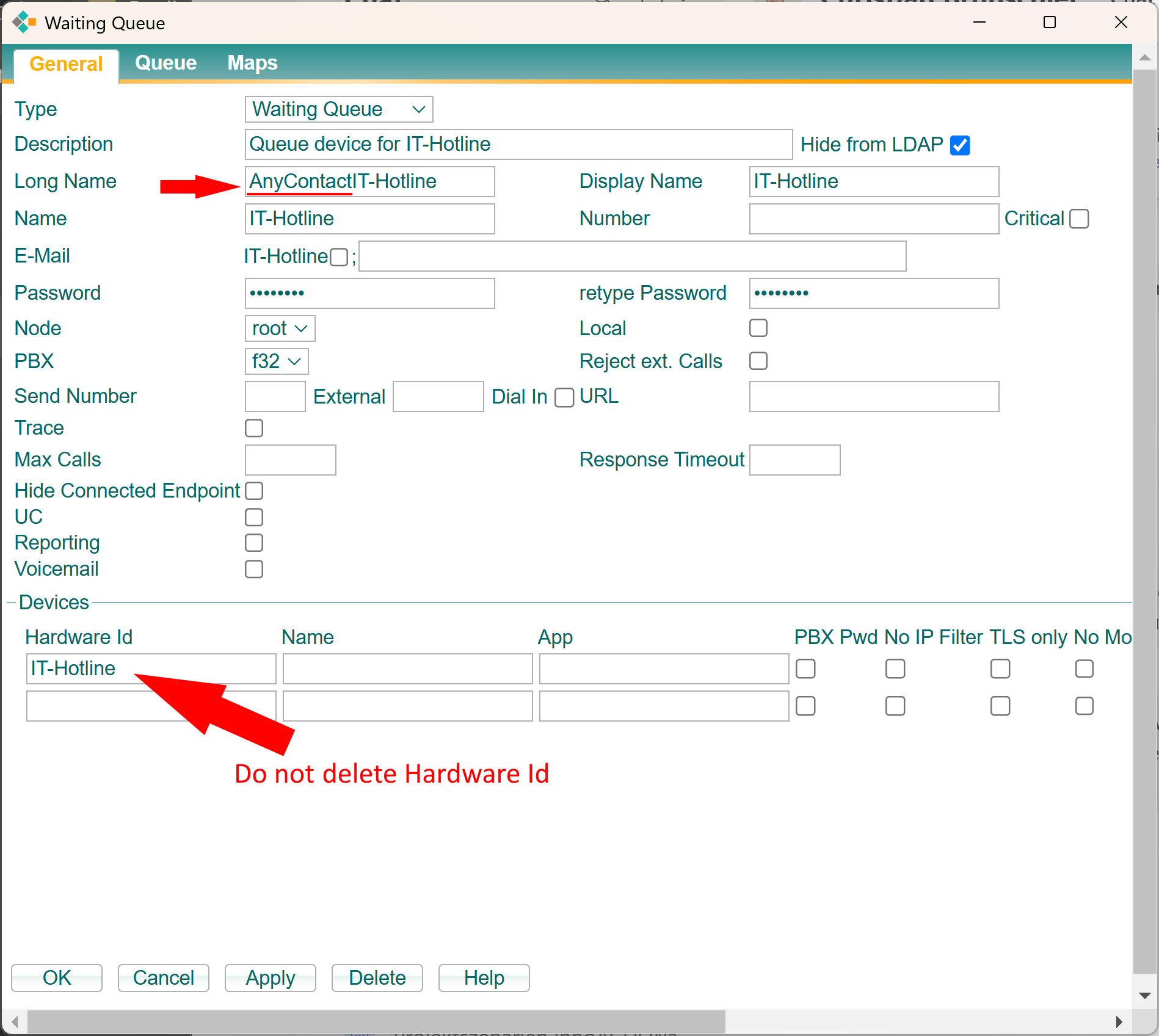
In the example above, a Waiting Queue device has been created for an IT hotline. Please note the following:
-
The prefix “AnyContact” must be placed in front of the actual queue name in the Long Name field.
Otherwise, the queue cannot be managed via the AC Queue Admin app. -
The “Hardware ID” must not be removed.
-
Do not assign any call groups to the newly created queue, as all call routing is handled centrally by the anyContact innoACD app service. No group assignments are required.
In the next step, define the desired greeting and queue announcements.
Once the Queue Device has been configured, the AC Queue Admin app can be used to define the required skills and other routing parameters for the queue.