This section handles the detailed administration of individual queues, which must have been previously created in the innovaphone configuration with the prefix “AnyContact”, as described in the section Creating and Configuring ACD Queue Devices.
Upon launching the app, a list of preconfigured queues with their respective phone numbers is displayed. The prefix is automatically hidden.
The system is preconfigured to synchronize the anyContact queues defined in the innovaphone configuration with the AC Queue Admin App once daily.
If recently configured queues do not appear, synchronization can be triggered manually by selecting the “Query” button.
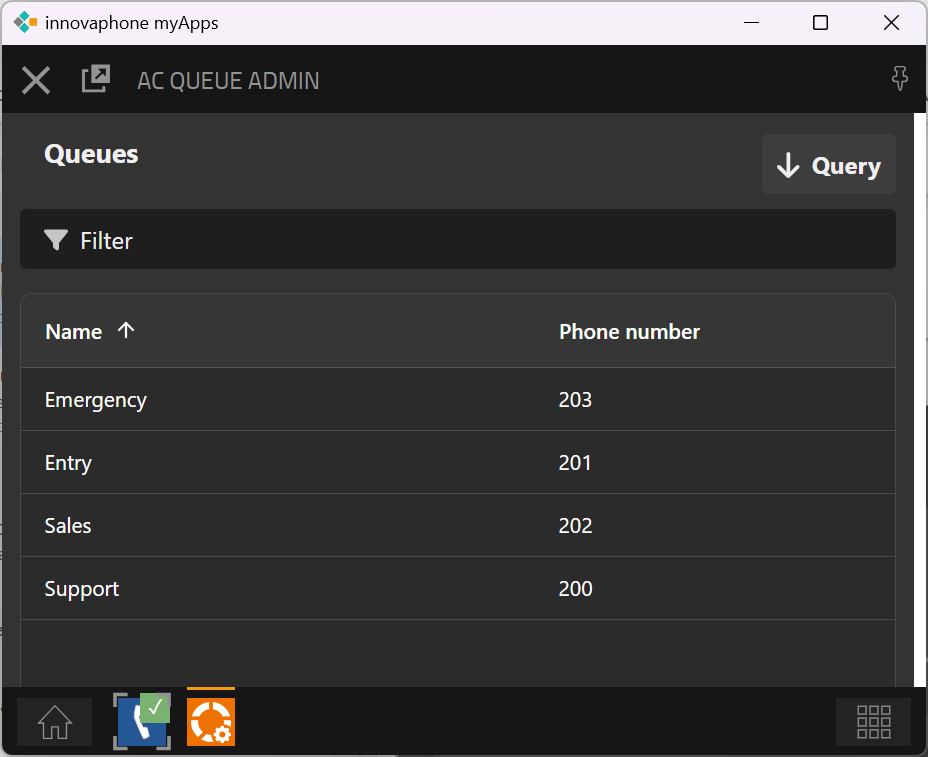
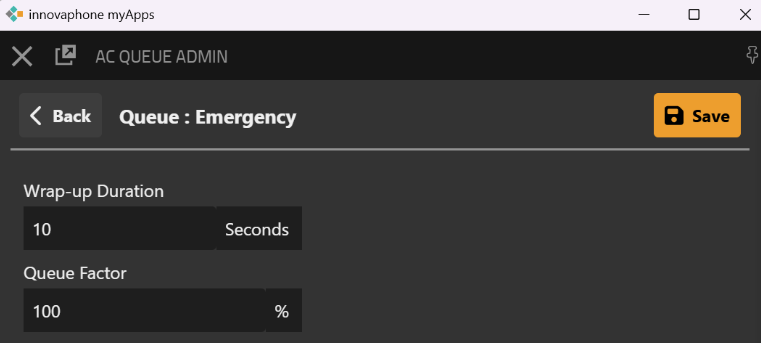
When a queue is selected from the list, its settings can be edited.
|
Konfigurationsparameter |
Beschreibung |
|---|---|
|
Wrap-up Duration |
The wrap-up time configured here applies to calls handled within the selected queue. |
|
Queue Factor |
This setting defines a relative queue limit based on the number of logged-in agents. New calls are rejected once the limit is reached. For example, if the value is set to 100% and 5 agents are logged in, only 5 calls are allowed to remain in the queue, and any additional calls are rejected. This limit applies solely to the queue. If all 5 agents are already engaged in calls, the queue can still hold up to 5 additional waiting calls. IMPORTANT: Setting the value to 0% disables the limit. |
Skill Requirements
The following table lists all skill configurations required by the queue. The overview displays each assigned skill along with the details “Mandatory Skill” and “Weight.”
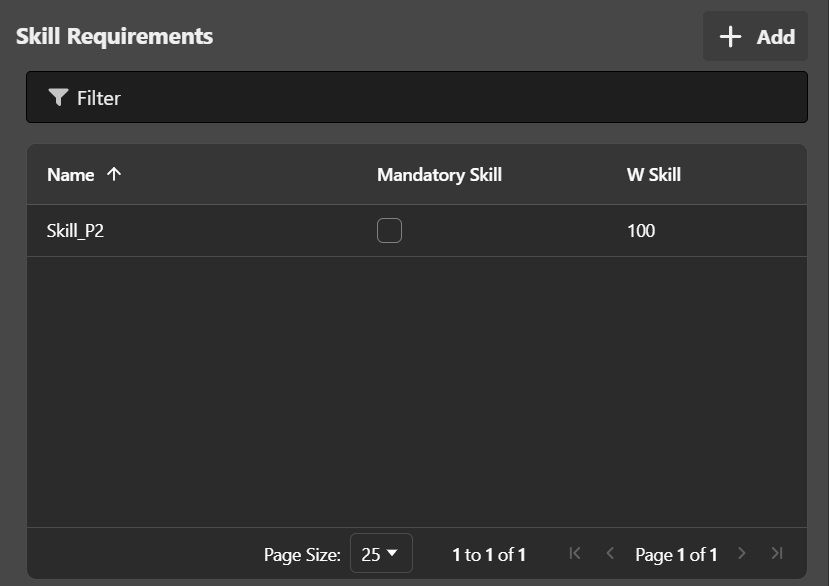
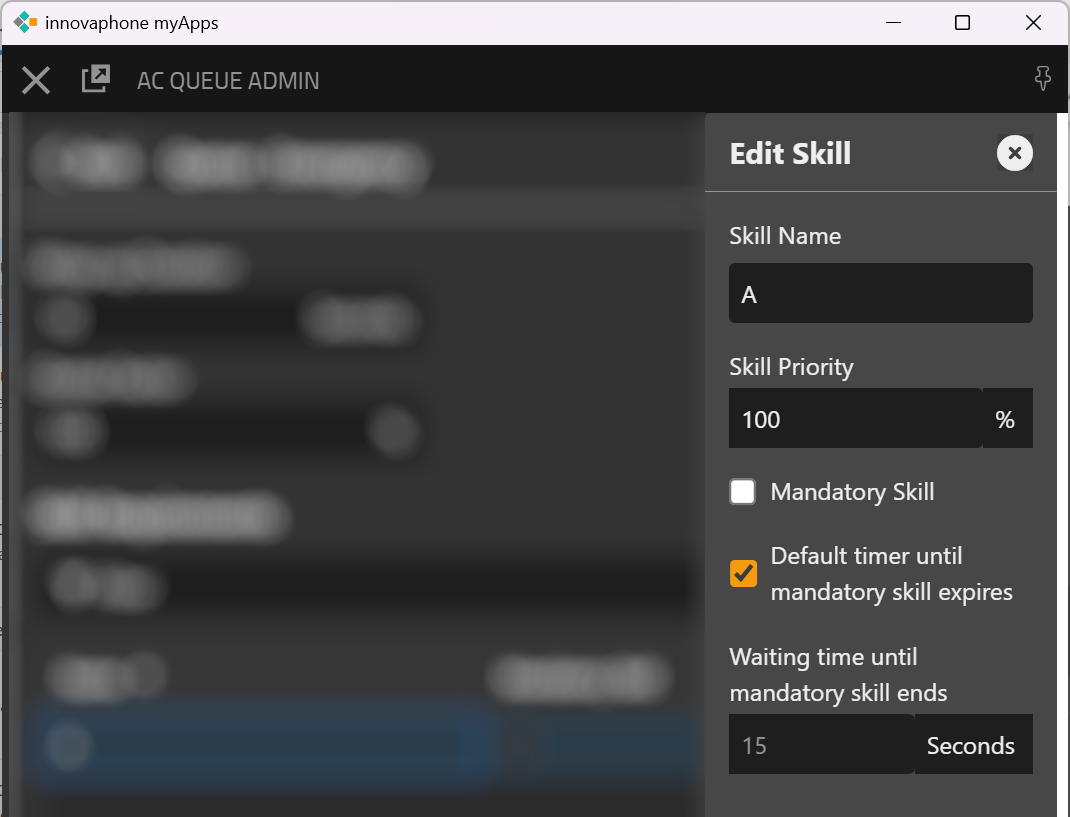
By selecting the “Add” button, a new skill can be configured for the respective queue. This opens a side menu for the corresponding configuration.
|
Configuration parameter |
Description |
|---|---|
|
Skill Name |
Unique name of the skill to be configured |
|
Skill Priority |
This setting defines the priority of a given skill within the queue. It determines how strongly the skill is considered in comparison to other skills during the routing decision. A high weighting means that the skill has a strong influence on the routing evaluation for the call–agent pairing. Agents with a high level in this skill are therefore clearly favored when it comes to call allocation. Conversely, if the weighting is low, the skill only has a minor impact on the routing evaluation for the call–agent pairing. In this case, other factors such as waiting time, workload, or alternative skills may play a more dominant role. This allows very fine-tuned control of routing:
The weighting of skills thus provides a flexible way to define the relative importance of individual capabilities and to align the routing evaluation for call–agent pairing with business requirements. Practical Example
A customer calls technical support.
Two agents are available:
Since product knowledge has been weighted as particularly important in this scenario, Agent A receives the call – even though Agent B is stronger in another skill. |
|
Mandatory Skill |
This setting determines whether the skill is considered a mandatory skill. This means that an agent must possess this skill for the routing decision. If this option is disabled, the skill is not mandatory but still preferred during routing. |
|
Default timer until mandatory skill expires |
If this option is enabled, the globally configured time value for mandatory skill expiration in AC Admin is used. If the option is disabled, an individual time can be configured for this skill. If an expiration of the mandatory attribute is generally not desired, the value can be set to "0". The skill is thus mandatory throughout the entire waiting period. |
By selecting the “Apply” button, the new or modified skill is saved for this queue.
Example of a queue for a multilingual support hotline for a specific product:
-
Skill1 = German (100%)
-
Skill2 = Support (80%)
-
Skill3 = Product A (50%)
All three skills are mandatory skills.
For routing, agents must possess all three skills since they are mandatory. In the routing decision, language is weighted highest, department second highest, and product lowest.

|
Overwrite values on queue overflow |
This setting is relevant when IVR or DTMF menus are used within the queue being configured, for example, to select destinations via key inputs. In this case, the setting ensures that for routing, the values of the originally (initial) queue are not used, but rather those of the target or overflow queue selected via IVR or DTMF. Example:
If the described setting is active, routing (e.g., skill assignment or prioritization) no longer occurs based on the original EntryQueue, but depends on the actually selected target queue – either SalesQueue or SupportQueue. |
Last Agent Routing
Das Last Agent Routing ermöglicht es, Wiederanrufer innerhalb einer Queue bevorzugt an denjenigen Agenten zu vermitteln, der sie zuletzt betreut hat. Dadurch wird eine höhere Gesprächskontinuität und Kundenzufriedenheit erreicht.
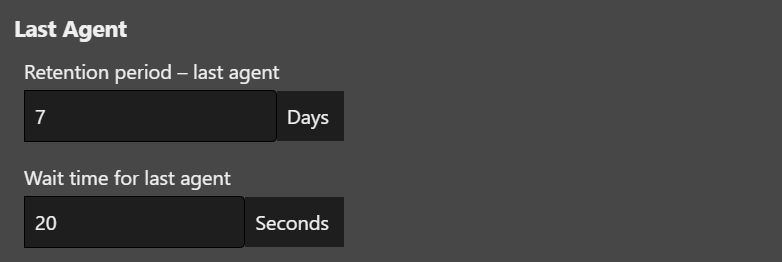
Two options are available for configuration:
|
Setting |
Description |
|---|---|
|
Retention period - last agent |
Determines how long (in days) the system stores the assignment to the last serving agent and considers it for routing. A value of 0 means that no storage occurs and routing is performed without considering the last agent. |
|
Wait time for last agent |
Defines how long the system waits for the availability of the last serving agent before the call proceeds to normal queue routing. If the agent is logged in and available during this time, the call is directly connected to them. Otherwise, the assignment is made to another available agent. Warning: A wait time that is too long can negatively affect the service level if the last serving agent does not become available during this period. |
Routing strategy
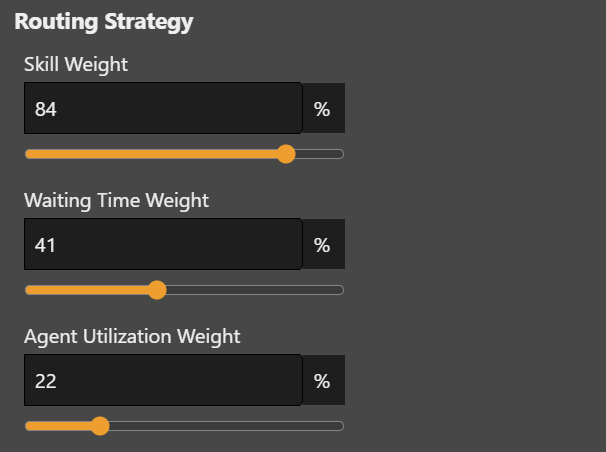
At the bottom of the queue configuration, the routing strategy for this queue is defined. It determines the weighting of skill, wait time, and agent utilization in call distribution.
|
Configuration parameter |
Description |
|---|---|
|
Skill Weight |
This setting defines the priority of skill-based routing within the queue relative to wait time and agent utilization.
Focus on quality, agent skills, and expertise |
|
Wait Time Priority |
This setting defines the priority of wait time within the queue relative to skill-based routing and agent utilization.
Focus on speed and minimizing waiting time |
|
Agent Utilization Priority |
This setting defines the priority of agent utilization within the queue relative to skill-based routing and wait time.
Focus on even distribution of workload. |
Further, more detailed information, explanations, and practical examples on the topic “Aligning the Routing Strategy” can be found in the chapter Call Routing Strategy and Use Cases.
Queue Rules
In this area, individual actions can be defined depending on preconditions.
Within demo mode, running without activated license, the configured rules will be executed 3 times max. To execute more tests within demo mode, the queue configuration must be stored again.
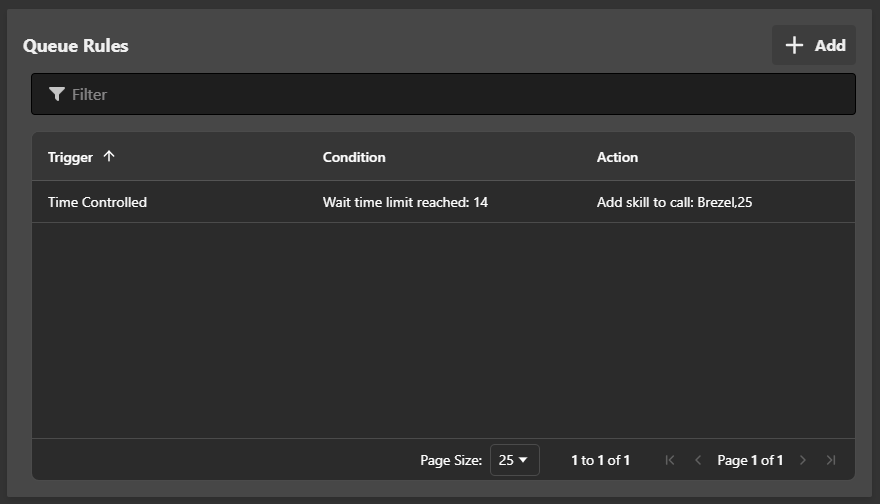
A rule consists of three essential characteristics.
-
The trigger, i.e., the moment at which it should be assessed whether the rule should apply
-
The condition, i.e., the property that was found or achieved
-
The action, i.e., the operation to be performed when the condition is met
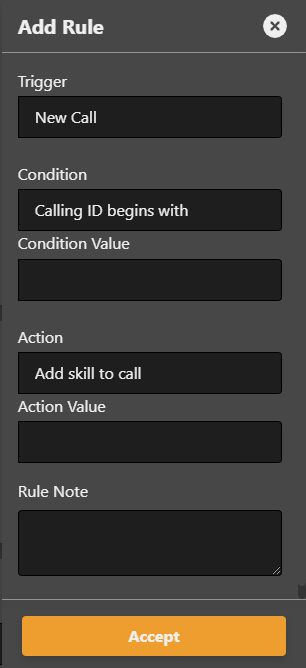
The following triggers are available:
|
Value |
Description |
|---|---|
|
New Call |
A new routing process is started. This trigger should not be confused with a new routing attempt taking place after the previous one has failed. |
|
Time Controlled |
A time threshold has been exceeded |
The following conditions are available:
|
Triger |
Value |
Description |
|---|---|---|
|
New Call |
Calling ID begins with |
The caller's phone number begins with the specified character string. Upper/lower case is not taken into account. |
|
New Call |
Calling ID contains |
The caller's phone number contains the specified character string. Upper/lower case is not taken into account. |
|
New Call |
Calling ID ends with |
The caller's phone number ends with the specified character string. Upper/lower case is not taken into account. |
|
New Call |
No. logged in agents less than |
The number of currently logged in agents is less than the specified value |
|
New call |
Avg. wait time longer than |
The average wait time of the past hour is longer than the specified value in seconds. The innoACD calculates the current value within a sliding window of size one hour and a slot size of 5 minutes. |
|
New call |
Servicelevel less than |
The servicelevel of the past hour is less than the specified value in percentage. The innoACD calculates the current value within a sliding window of size one hour and a slot size of 5 minutes. This rule needs at least 5 calls per day to be executed. |
|
Time Controlles |
Wait time limit reached |
The call is in the waiting field and the defined duration has been exceeded. |
The following actions are available:
|
Value |
Description |
|---|---|
|
Add skill to call |
The call is equipped with an additional skill requirement. |
|
Redirectr call to |
Forward the call to the specified internal or external number. For internal destinations, the cn of the object can also be used. |
|
Drop call |
The caller's connection is to be dropped. |
Monitoring
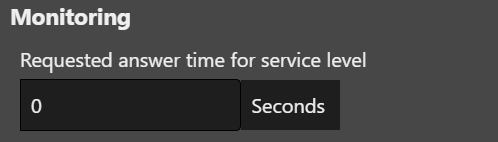
This setting determines the required response time for calculating the service level in the dashboard. If calls are answered within this waiting time, they have a positive effect on the service level. If calls exceed this waiting time, they have a negative effect on the service level.