
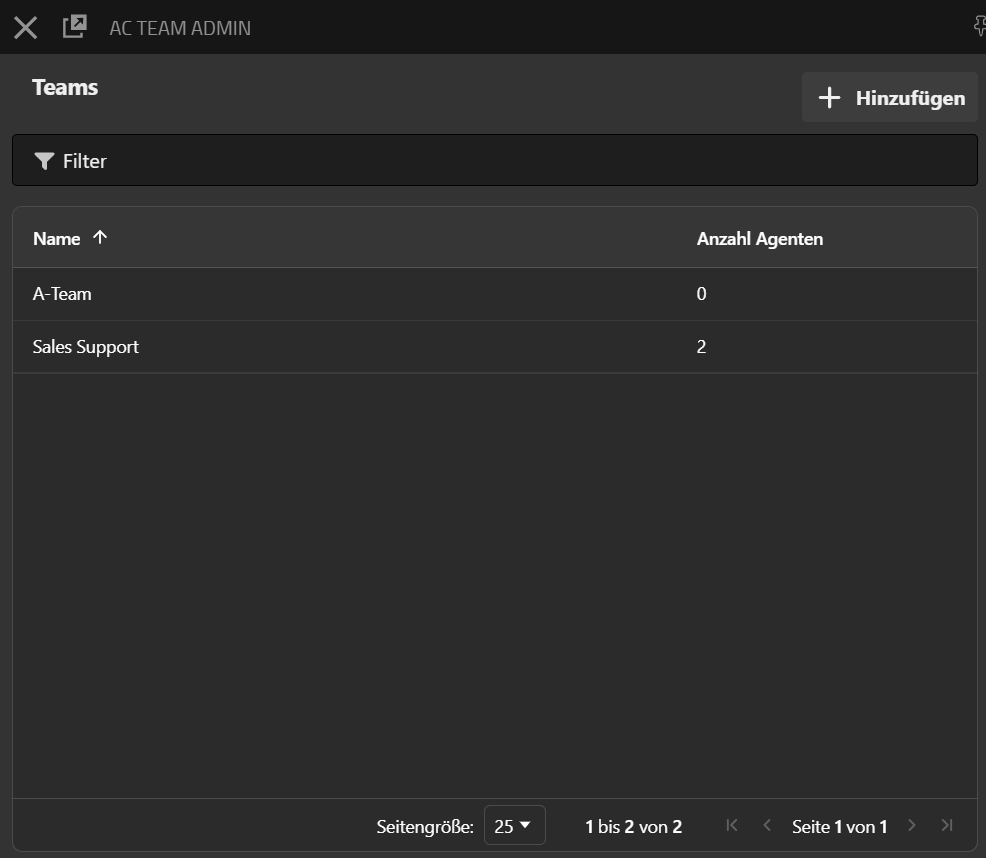
Through this app, teams can be created and agents can be assigned to teams. Furthermore, queue login templates or presets can be made for teams. This ensures that an agent only gets to choose from the queues predefined for their team during login. A new team can be created via the “Add” button. If a queue is selected from the list, the corresponding team can be edited. Additionally, the view can be restricted using the filter function.
After selecting a team from the list, the editing interface for the corresponding team appears. Here, the team name can be edited. The table shows the currently configured queue login settings for the team being edited.
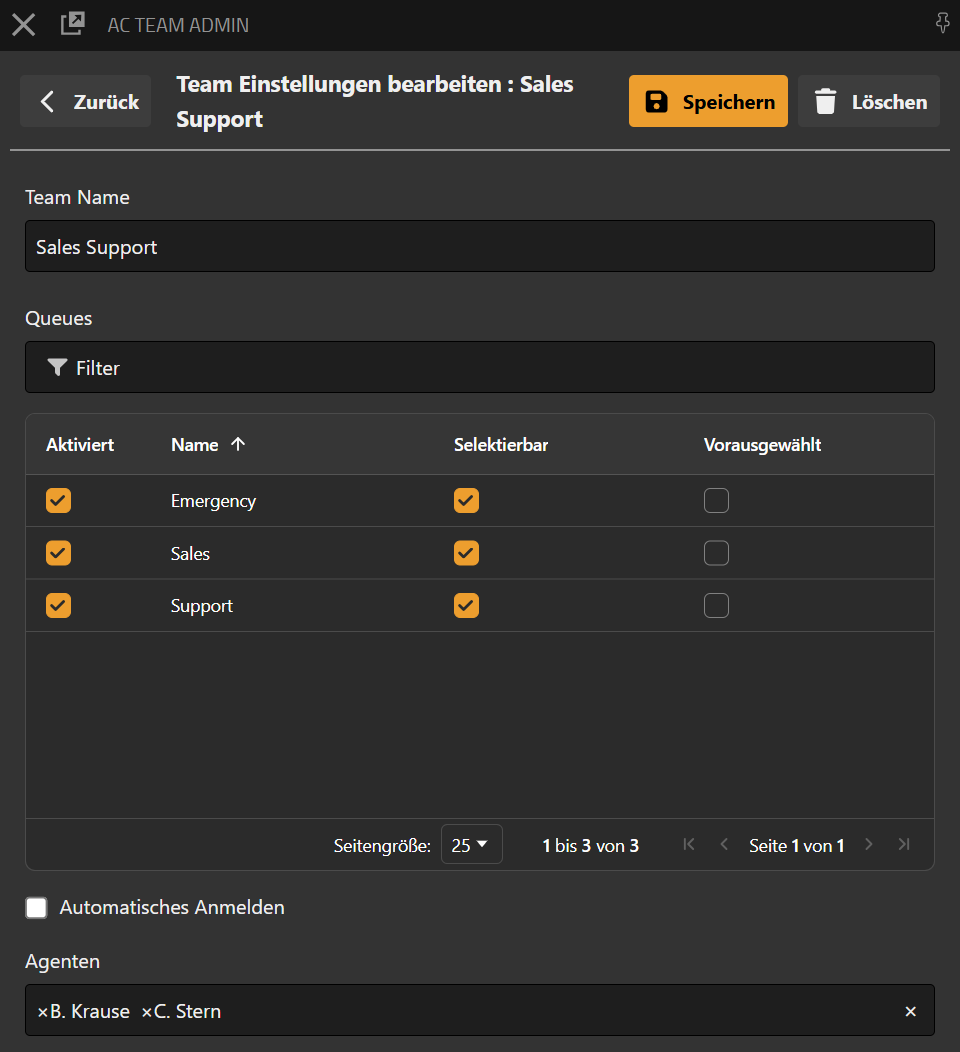

The following settings can be configured here for the team:
|
Configuration |
Description |
|---|---|
|
Enabled |
Determines whether the queue is available to the team at all. Only enabled queues are considered when the team agent logs in for routing participation. |
|
Selectable |
Determines whether the team agent may decide for themselves whether to participate in the queue. If the queue is selectable, the agent can activate or deactivate it when starting the AC Agent App. |
|
Preselected |
Defines whether the queue is selected by default when starting the AC Agent App. If Preselected is enabled and Selectable is disabled, the agent is automatically logged into this queue and cannot opt out of participation. |
|
Automatic Registration |
This option determines whether the queue configurations stored for the team are automatically applied when starting the AC Agent App. This causes the agent to be registered directly for routing participation without needing to make or change selections themselves. |
|
Agents |
This section is where the selection of agents to be assigned to this team with the queue registration settings defined here takes place. Each agent can only be assigned to one team. Agents cannot be assigned to multiple teams. |
|
Team Leads |
This function restricts the visibility of queues and agents to team content for selected users. If the team leader uses the dashboard or reporting, one license point is booked for the duration of use. The team leader does not need a license for administrative tasks. |