
This app manages the agents available in the call/contact center. Primarily, agent skills are assigned here along with corresponding proficiency levels.
Upon launching the app, a list of agents available in the system is displayed. For large user volumes, the results can be narrowed down using the “Filter Agents” button.
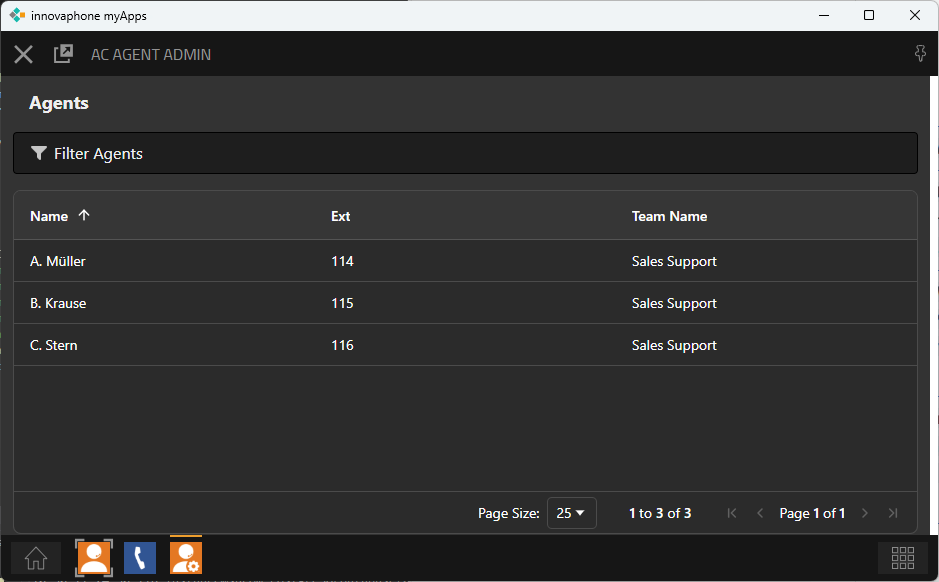
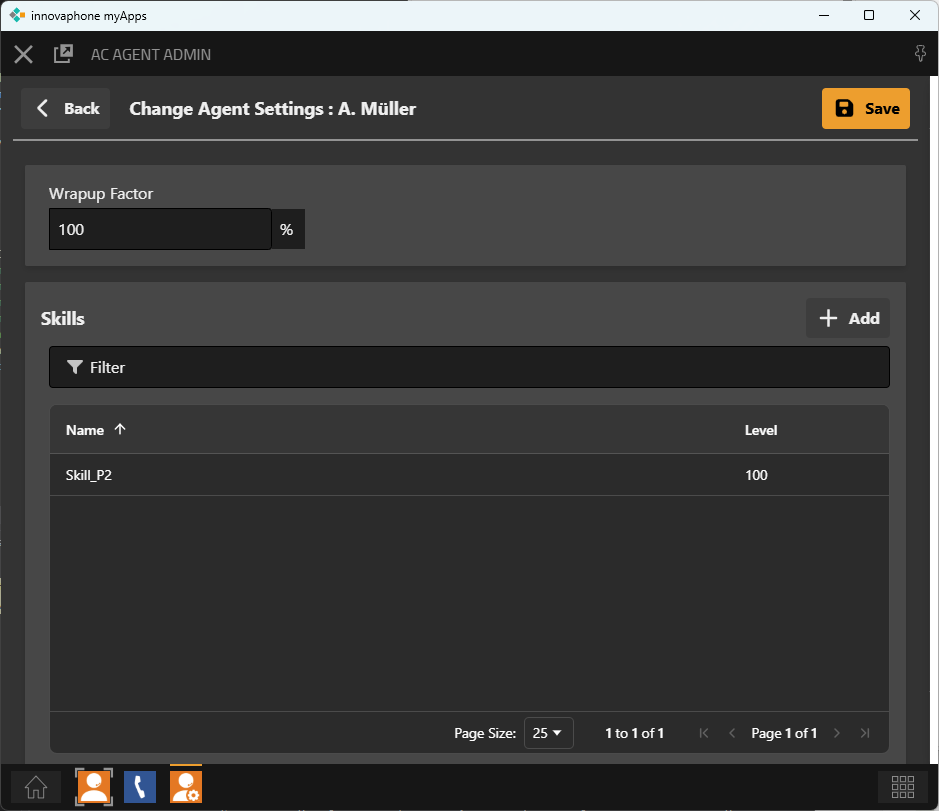
After selecting an agent, personal settings and the assigned skills and skill levels can be edited.
|
Config Property |
Description |
|---|---|
|
Wrapup Factor |
The wrapup time can be customized at the agent level. The wrapup factor is set as a percentage relative to the standard wrapup time defined in the queue. Note:
|
New skills can be added using the “Add” button. Additionally, the list of skills can be filtered using the “Filter” button.
By clicking the “Save” button, the agent’s edits are finalized, and changes are saved and immediately applied to the routing of incoming calls.
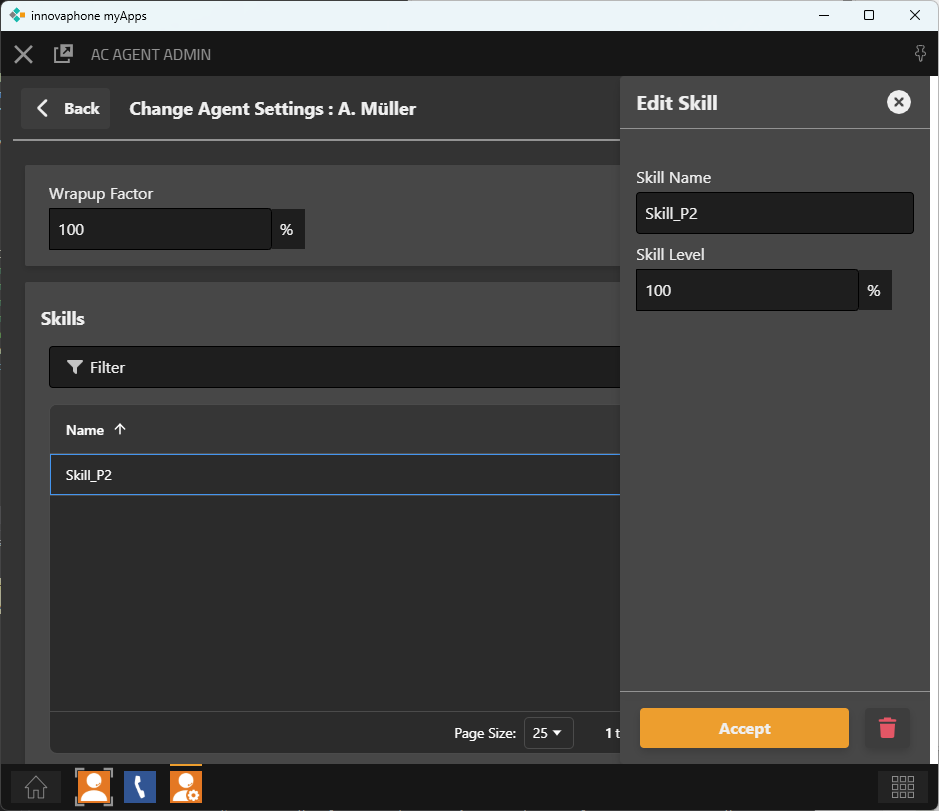
When a skill is selected from the list by clicking, its editing menu opens on the right side of the screen. Here, the skill can be renamed or the skill level for the agent can be adjusted.
Settings are saved by clicking the “Apply” button. The skill assignment for the agent can be deleted by selecting the trash bin icon.
The skill level describes the extent to which an agent possesses knowledge or expertise in a specific subject area. It is set on the agent side and serves as a qualitative rating that is incorporated into the routing evaluation for the call–agent pairing.
A higher skill level indicates that the agent is particularly well-suited to handle calls with this requirement profile. Conversely, a lower skill level represents basic knowledge, where the agent should only be used for support or as a fallback.
The skill level thus enables a differentiated control within a skill:
-
High skill levels ensure priority assignment of calls to experts.
-
Medium skill levels can be used for standard requests or general support.
-
Low skill levels ensure that calls can still be handled by less experienced agents if no better-qualified resources are available.
In combination with skill weighting at the queue level, this creates a flexible control mechanism: while the weighting determines the relative influence of a skill in routing, the skill level differentiates the individual suitability of each agent within that skill.
Moreover, the routing strategy is another crucial factor. It defines how the skill evaluation is weighted against other criteria, such as wait time or workload. Depending on the chosen strategy, either expertise (skill level), speed of handling (wait time), or fair load distribution (workload) can be prioritized.